
Here’s a question I hear from small business owners all the time:
“Why is my competitor showing up on Google Maps and I’m not — even though I’ve been in business longer?”
It’s frustrating. And the answer isn’t always obvious. But here’s the good news: if you want to know how to rank higher on Google Maps, it starts with understanding that Google Maps rankings aren’t random. There’s a clear set of factors Google uses to decide who shows up — and almost all of them are things you can control.
Let’s break it down.
How Google Decides Who Shows Up on Google Maps
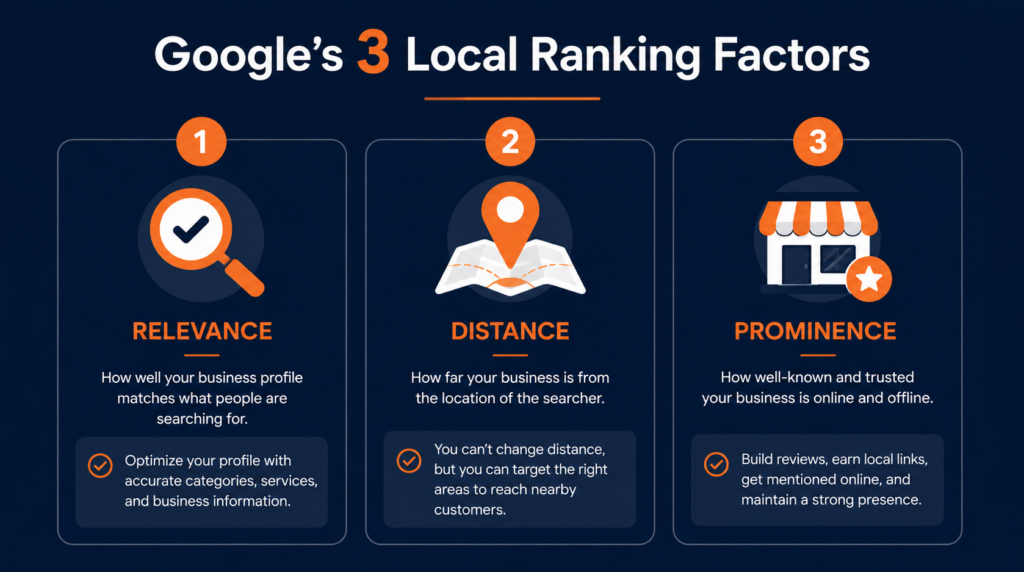
According to Google’s local ranking documentation, the local search algorithm is built around three core factors:
1. Relevance — How well does your business match what someone searched for? 2. Distance — How close is your business to the person searching? 3. Prominence — How well-known and trusted is your business online?
Distance is the one factor you can’t directly control. But relevance and prominence? Those are entirely in your hands.
1. Start With a Fully Optimized Google Business Profile
Everything starts here. Your Google Business Profile is the foundation of your Google Maps presence — and an incomplete or neglected profile is the #1 reason small businesses don’t show up.
At a minimum, make sure you have:
- ✅ Verified listing
- ✅ Correct business name (no keyword stuffing)
- ✅ Specific primary category
- ✅ Complete 750-character business description with your main keyword
- ✅ All services listed with individual descriptions
- ✅ 10+ quality photos uploaded
- ✅ Accurate hours including holidays
- ✅ Website and booking links added
An incomplete GBP tells Google you’re not serious — and Google responds by not showing you.
2. Build a Steady Stream of Google Reviews
Reviews are one of the most powerful ranking signals for Google Maps. Google looks at the number of reviews, how recent they are, and whether you’re responding to them.
Think about it from Google’s perspective: a business with 3 reviews from two years ago looks far less trustworthy than one with 60 reviews over the past 12 months, with the owner responding to every one.
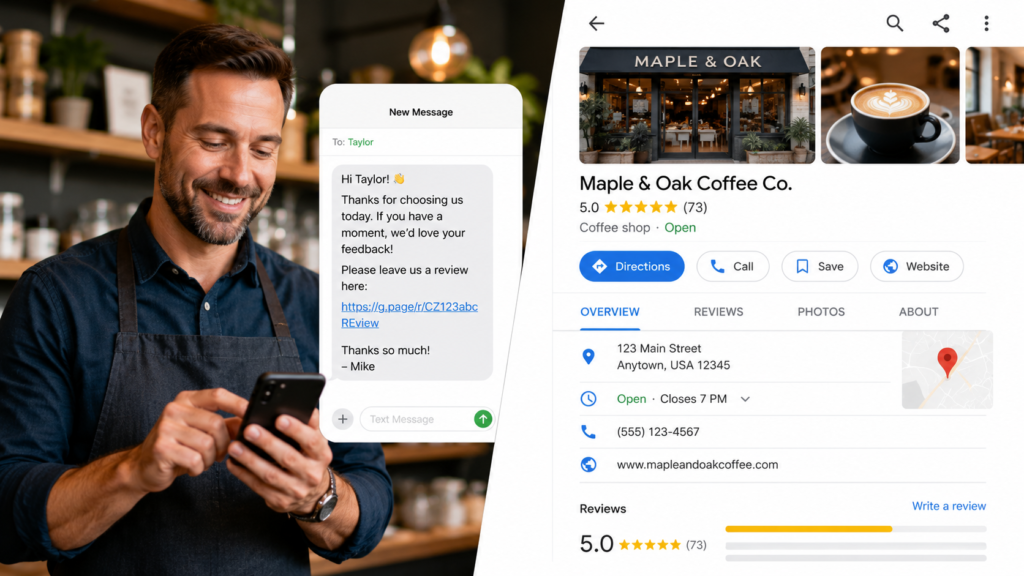
The most common reason small businesses don’t have enough reviews isn’t that customers are unwilling — it’s that there’s no easy way for customers to actually leave one.
The fix: create a direct Google review link and share it with every happy customer.
👉 Generate your free Google review link here — you’ll also get a printable QR code. Takes 30 seconds, completely free.
Once you have it, build review collection into your routine:
- Text it to customers right after a completed job
- Add it to your email signature
- Print the QR code at your checkout counter
- Include it in your post-purchase follow-up email
Consistency beats volume. A few new reviews every week is far more valuable than 30 reviews in one month followed by nothing.
3. Fix Your Citation Consistency
Citations are mentions of your business name, address, and phone number (NAP) across the web — Yelp, Yellow Pages, Apple Maps, Bing Places, industry directories, and dozens more.
When your NAP is consistent across all these sources, Google gets a clear signal that your business is legitimate and trustworthy. When it’s inconsistent — different phone numbers, old addresses, misspelled names — it creates confusion and drags your rankings down.
Common culprits:
- You moved and didn’t update all your listings
- Your business name changed or got shortened somewhere
- Someone created a duplicate listing with wrong info
Our Citation Building service handles auditing, fixing, and monitoring your citations across 50+ directories — so you don’t have to do it manually.
4. Post on Your GBP Every Week
Most business owners set up their Google Business Profile once and never touch it again. That’s a missed opportunity.
GBP posts expire after 7 days, which means Google is literally incentivizing you to post weekly. Regular posting keeps your profile fresh, signals activity, and gives potential customers new reasons to choose you.
It doesn’t have to be complicated — a tip, a promotion, a recent project, a seasonal update. Five minutes a week.
5. Optimize Your Website for Local SEO Signals
Your website and your GBP are connected in Google’s eyes. A website with strong local SEO signals reinforces your GBP and helps your Maps ranking.
Key things to check:
- NAP consistency — same business name, address, and phone as your GBP
- City and service keywords appear naturally in page titles, headings, and content
- Dedicated pages for each major service you offer
- Fast mobile load speed — local searches happen mostly on phones
- Local schema markup — structured data that tells Google your business details
Need help with this? Our local SEO services cover on-page optimization as part of every plan.
6. Build Local Backlinks
In local SEO, local backlinks carry extra weight. A few good places to earn them:
- Local business directories and chambers of commerce
- Sponsoring a local event or sports team
- Getting featured in a local news article or blog
- Partnering with complementary local businesses for cross-promotion
You don’t need dozens. A handful of genuinely local, relevant links can make a noticeable difference.
7. Add Photos Regularly
Many businesses upload photos once during setup and never again. Google tracks photo activity as an engagement signal — adding new photos regularly keeps your listing fresh and shows both Google and potential customers that you’re active.
Set a monthly reminder to upload a few new photos. That’s it.
How Long Does It Take to Rank on Google Maps?
Here’s an honest breakdown:
| Competition Level | Expected Timeline |
|---|---|
| Low (small town, niche service) | 2–4 weeks |
| Medium | 4–8 weeks |
| High (large city, competitive industry) | 8–16 weeks |
The more consistently you work these factors, the faster you’ll see movement. And once you’re in the 3-Pack, staying there is much easier than getting there.
Find Out Exactly What’s Holding You Back
The fastest way to improve your Google Maps ranking isn’t to do everything at once — it’s to find out which specific factors are hurting you and fix those first.
That’s exactly what a free local SEO audit gives you. We look at your GBP, citations, reviews, rankings, and competitors — and send you a plain-English breakdown of what to fix and in what order.
👉 Get your free audit here — no cost, no commitment, just clarity.
Written by the Localaized team — helping small businesses dominate local search, one Google Maps ranking at a time.
Written by
Bryan Eric Tidalgo
5-year Local SEO Specialist helping US small businesses rank on Google Maps. Founder of LocalAIzed.com