
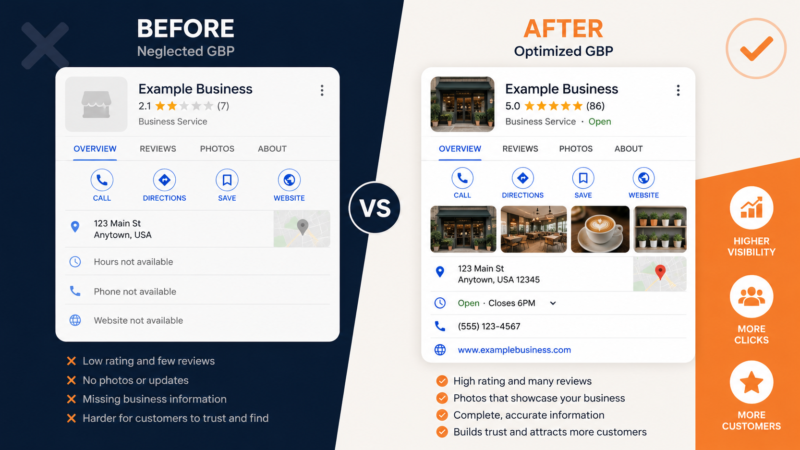
If your small business isn’t showing up on Google Maps when local customers search for what you offer, there’s a good chance your Google Business Profile optimization — or lack of it — is the problem.
Your Google Business Profile (GBP) is completely free. It’s the most powerful local SEO tool available to small businesses. And most businesses leave it half-finished and wonder why they’re invisible on Google.
This guide will walk you through exactly how to optimize your Google Business Profile from top to bottom — in plain English, no jargon required.
What Is Google Business Profile Optimization and Why Does It Matter?
Google Business Profile (formerly Google My Business) is the listing that appears when someone searches for your business or a service you offer nearby. It shows your name, hours, photos, reviews, and a map pin — all in one place.
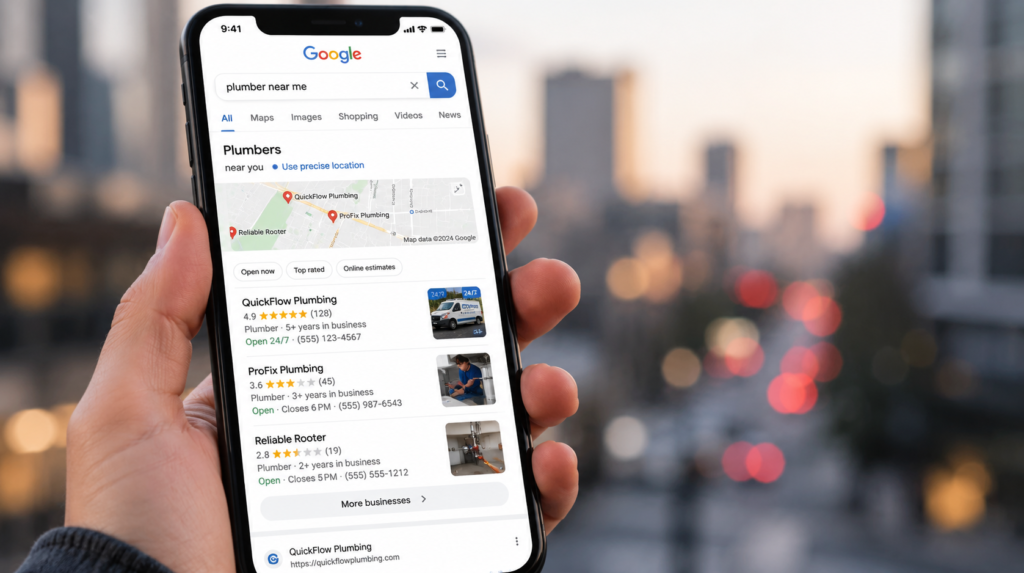
When you search “plumber near me” or “best dentist in [city]” and see those three businesses in a box at the top of the results, that’s the Google Maps 3-Pack. Getting into that box is the single biggest thing you can do to grow your local customer base.
And the primary factor Google uses to decide who gets in? Your Google Business Profile.
Step 1: Claim and Verify Your Profile
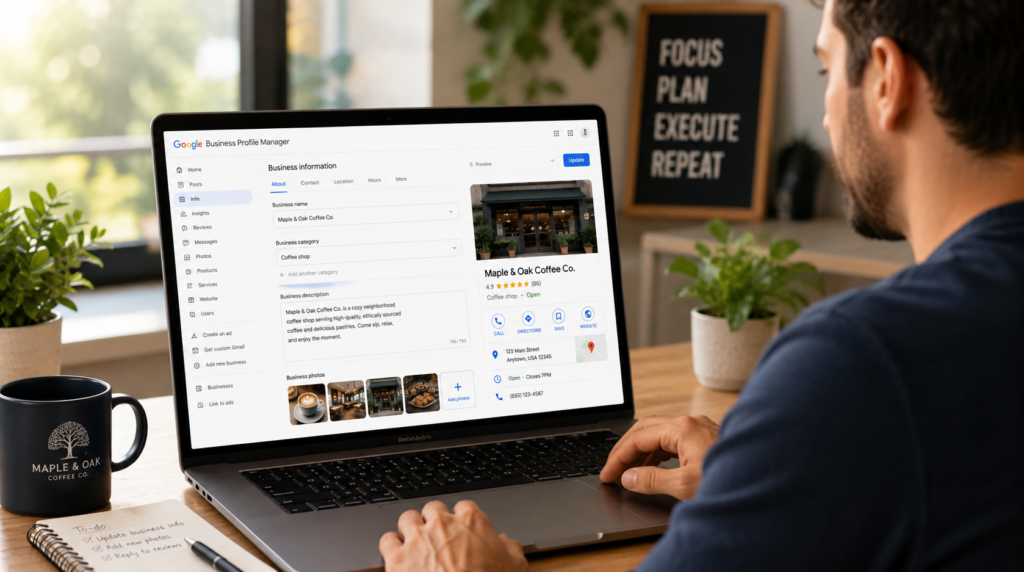
Before you can optimize anything, you need to own your listing.
Go to business.google.com and either claim your existing listing or create a new one. Google will send you a verification code — usually by postcard, phone, or email depending on your business type.
Don’t skip verification. An unverified profile won’t rank, and you can’t respond to reviews or edit your listing properly without it.
Step 2: Nail Your Business Name
Use your real, legal business name — exactly as it appears on your signage, website, and other directories. No extra keywords. No “best” or “cheap” or your city name stuffed in there.
Google considers keyword stuffing in business names a violation and can suspend your listing for it. More importantly, NAP consistency (Name, Address, Phone) across the web is a real ranking factor — any variation creates confusion for Google’s algorithm.
Step 3: Choose the Right Primary Category
Your primary category is arguably the most important field in your entire GBP. It tells Google what kind of business you are — and it directly determines which searches you’re eligible to appear in.
Be as specific as possible:
- “Plumber” beats “Contractor”
- “Family Dentist” beats “Healthcare”
- “Italian Restaurant” beats “Restaurant”
You can also add secondary categories to capture additional search terms — just make sure they’re genuinely relevant.
Step 4: Write a Keyword-Rich Business Description
You have 750 characters for your description. Use them.
Lead with what you do, who you serve, and where — naturally weaving in your primary keyword. Mention your key services, your location, and what makes you different.
Example:
“Bright Smile Dental is a family dental clinic in Austin, TX serving patients of all ages. We offer general dentistry, teeth whitening, Invisalign, and emergency dental care in a relaxed, judgment-free environment. Accepting new patients — same-week appointments available.”
That’s keyword-rich, specific, and reads naturally. No fluff, no jargon.
Step 5: List Every Service With Individual Descriptions
Most businesses fill in their name and hours and call it done. The Services section is your chance to tell Google exactly what you offer. List every service individually, add a short description for each, and include prices where you can.
This content feeds directly into Google’s understanding of your relevance for specific searches. The more complete and specific, the better.
Step 6: Upload High-Quality Photos — And Keep Adding Them
Listings with photos get significantly more clicks, direction requests, and website visits than those without. Aim for at least 10–15 photos to start:
- Exterior photos — so customers can recognize you when they arrive
- Interior photos — showing your space and atmosphere
- Team photos — faces build trust
- Work/product photos — show what you actually do
- Before and after — especially powerful for service businesses
Avoid stock photos. Real photos of your actual business always outperform generic imagery. And keep adding new ones over time — monthly if possible.
Step 7: Post on Your GBP Every Week
GBP posts are like mini social media updates that appear directly on your listing. They expire after 7 days, which means Google is essentially asking you to post regularly to stay active.
Weekly posts signal to Google that your business is engaged — which helps your rankings. Post about:
- Special offers or promotions
- New services or products
- Seasonal tips relevant to your industry
- Recent wins or customer stories
Step 8: Get More Google Reviews — and Respond to All of Them
Reviews are one of the top three factors in local search rankings. The most important thing you can do to get more is make it easy.
Create a direct Google review link and share it with every happy customer — via text, email, printed QR code, or your email signature.
👉 Generate your free Google review link and QR code here — it takes 30 seconds and costs nothing.
Once reviews are coming in, respond to every single one. Thank people by name for positive reviews. Handle negative reviews calmly and professionally. Google rewards engagement, and customers notice when a business owner actually cares.
Step 9: Keep Your Hours Accurate — Including Holidays
Outdated hours are one of the most common and damaging GBP mistakes. Nothing kills customer trust faster than showing up to a business Google said was open — only to find it closed.
Update your hours whenever they change, and add special hours for public holidays well in advance.
Step 10: Pre-Populate the Q&A Section
The Q&A section allows anyone to ask — and anyone to answer — questions about your business. Including random people who may not get it right.
Get ahead of this by asking and answering your own most common questions:
- “Do you offer free consultations?”
- “Do you accept insurance?”
- “Is parking available?”
- “Do you serve [nearby suburb]?”
This improves your listing’s completeness and addresses objections before they stop someone from calling.
Common GBP Mistakes to Avoid
- Keyword stuffing your business name — risks suspension
- Using a P.O. Box or virtual office as your address — not allowed for service-area businesses
- Letting your profile go stale — no posts, no new photos, no review responses
- Inconsistent NAP across your website, Citation Building profiles, and GBP
How Long Until You See Results?
Honest answer: it depends on your market.
| Competition Level | Expected Timeline |
|---|---|
| Low (small town, niche service) | 2–4 weeks |
| Medium | 4–8 weeks |
| High (large city, competitive industry) | 8–16 weeks |
Consistency matters more than a one-time burst of optimization. Treat your GBP like a channel that needs regular attention — weekly posts, fresh photos, ongoing review collection — and you’ll steadily outpace competitors who set it and forget it.
Not Sure Where Your GBP Stands Right Now?
A free audit is the fastest way to find out exactly what’s holding your profile back.
We’ll look at your GBP score, citation consistency, review profile, and current rankings — then send you a prioritized list of exactly what to fix first.
👉 Get your free local SEO audit here — no strings attached.
Written by the Localaized team — helping small businesses dominate local search, one Google Maps ranking at a time.
Written by
Bryan Eric Tidalgo
5-year Local SEO Specialist helping US small businesses rank on Google Maps. Founder of LocalAIzed.com