

Google Business Profile posts are free updates you publish straight to your Google listing, and they show up in Search and Maps right where nearby customers are already looking. Used consistently, they keep your profile active, highlight offers and events, and give people one more reason to choose you over a competitor whose profile hasn’t been touched in months.
What Are Google Business Profile Posts?
A Google Business Profile (GBP) post is a short update — text, a photo or video, and often a button — that you attach directly to your free Google listing. Instead of hoping someone finds your latest promotion on Facebook or Instagram, a GBP post puts that same news in front of people the moment they search for a business like yours.
According to Google’s own guidance on creating and managing Business Profile posts, there are three main post types you can publish, each suited to a different kind of announcement.
- Updates — general announcements, news, or reminders about your business, with an optional photo, video, and action button.
- Offers — promotions or deals with a start and end date; Google automatically adds a “View offer” button, and you can attach a coupon code.
- Events — anything tied to a specific date or time window, like a grand opening, workshop, or in-store sale.
Where Do GBP Posts Show Up?
Placement depends on the device. On desktop, posts typically appear in the “From the owner” section of your Business Profile in Search and Maps. On mobile, they usually live under the Updates or Overview tab, and event or offer posts can surface higher up automatically.
Because this real estate sits directly inside your free Google listing, if you already run a solid
If you already run a solid Google Business Profile optimization strategy, posts are the layer that keeps that optimized profile looking active week after week instead of going stale.
Why Google Business Profile Posts Matter for Local SEO
Google Business Profile signals now carry the single largest share of local pack ranking weight, ahead of reviews, links, and traditional on-page SEO. Posting regularly is one of the few free, repeatable actions that keeps your profile looking active in Google’s eyes — and activity is treated as a positive signal, not a neutral one.
Independent local search ranking research from BrightLocal’s analysis of Google’s local algorithm consistently places engagement and completeness of a Business Profile among the strongest levers a small business can control, since proximity and links are largely outside your hands.
Beyond rankings, posts give you a free, no-code way to answer the question every searcher is asking in the moment: “Is this business active, and does it have what I need right now?” A post about this week’s special or an upcoming event answers that instantly.
| Not sure how your profile currently ranks?Before you start posting, get a baseline. Run a free scan with the Free Local SEO Audit to see exactly where your Google Business Profile is falling short — then track your progress with the ▶ Try the Free Local SEO Audit |
GBP Posts vs. Social Media Posts
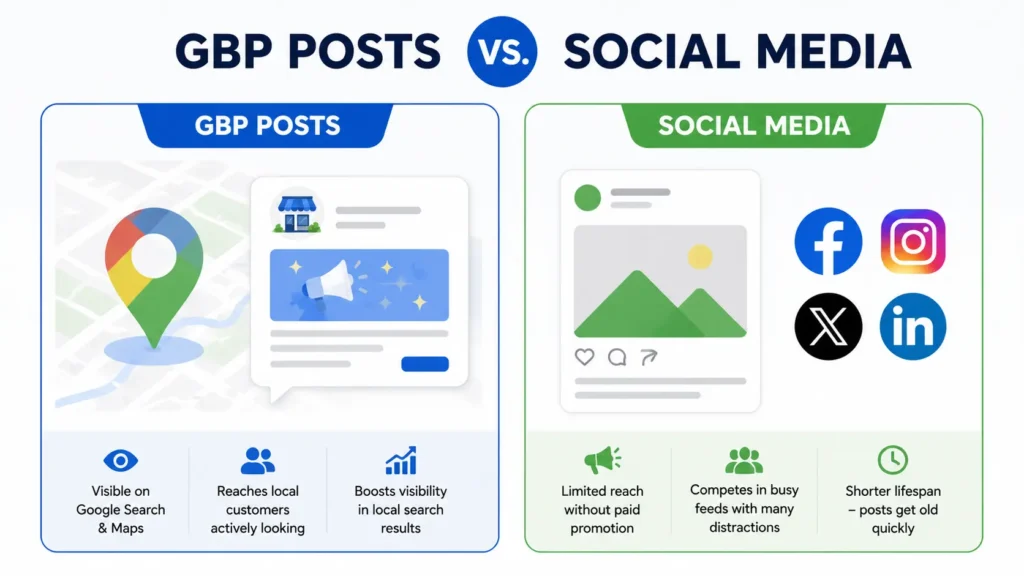
It’s tempting to treat a GBP post like just another social caption, but the two serve different jobs. Here’s how they compare:
| Feature | Google Business Profile Posts | Social Media Posts |
|---|---|---|
| Where it appears | Directly in Google Search & Maps results | Facebook, Instagram, LinkedIn feeds |
| Who sees it | People actively searching for your service | Existing followers (limited organic reach) |
| SEO impact | Contributes to profile freshness/engagement signals | No direct local ranking impact |
| Cost | Free | Free (organic) or paid (ads) |
| Lifespan | Update posts ~6 months; Offers/Events until end date | Buried by newer posts within hours |
| Best use | Time-sensitive, search-intent-driven news | Community building, brand storytelling |
How to Create a Google Business Profile Post (Step-by-Step)
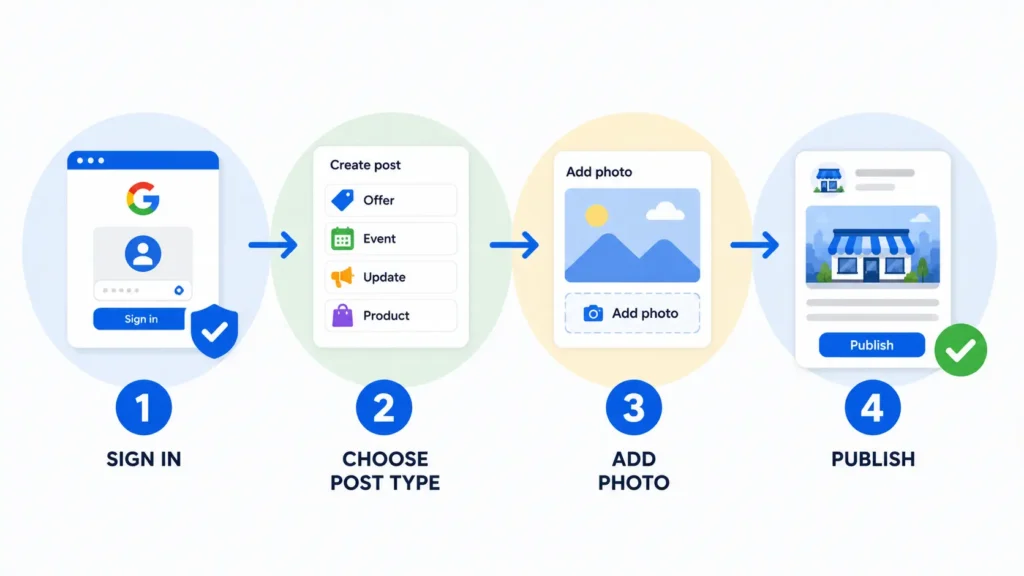
- Sign in to your Google Business Profile at business.google.com or open the Google Maps app and tap your profile photo.
- Select “Add update” or go to the Posts tab, then choose a post type: Update, Offer, or Event.
- Add a clear, benefit-driven photo or short video — profiles with real photos consistently earn more attention than text-only listings.
- Write your copy: lead with the benefit in the first line, keep it under 1,500 characters, and include your target keyword naturally.
- Add a call-to-action button (Book, Order online, Learn more, Call now, or Sign up) that points to a specific page, not just your homepage.
- Preview the post, then publish. Google typically reviews new posts before they go live, so check back to confirm it’s visible.
Google Business Profile Post Best Practices
- Post at least once a week — a stale profile with no recent posts signals inactivity to both Google and searchers.
- Use a high-quality image or short video every time; posts without visuals get scrolled past.
- Front-load the value in your first sentence, since Google may truncate longer posts in the preview.
- Include your city or neighborhood name naturally where it fits, to reinforce geographic relevance.
- Always add a CTA button that links somewhere useful, not just your homepage.
- Set accurate start and end dates on Offer and Event posts so they don’t show stale promotions after they expire.
- Recycle high-performing post ideas seasonally instead of starting from scratch each time.
What to Post About: Content Ideas for Any Local Business
If you’re staring at a blank post box, start with these reliable categories:
- A limited-time offer, discount, or seasonal promotion.
- A new product, service, or menu item you just launched.
- An upcoming in-store event, workshop, or community sponsorship.
- A behind-the-scenes look at your team or process.
- A shoutout to a recent 5-star review, paired with a gentle nudge for others to leave one.
- A quick answer to a question customers ask you all the time.
That review shoutout idea works best when you’re actively generating fresh reviews to draw from — our guide on how to get more Google reviews for your small business walks through a simple, repeatable process, and you can send that request in seconds with the Review Link Generator.
If you’re also refreshing your business description at the same time, it’s worth reading how to write a GBP description that ranks in AI search so your posts and your profile description reinforce the same keywords.
How Often Should You Post on Your Google Business Profile?
Weekly is a safe minimum for most local businesses, and biweekly is the floor before a profile starts to look neglected. Businesses running frequent promotions — restaurants, salons, seasonal services — often benefit from posting twice a week. What matters more than frequency alone is consistency: a profile that posts every Monday for six months looks far more trustworthy than one that posts ten times in a week and then goes silent.
Common GBP Posts Mistakes to Avoid
- Posting once and never returning — an abandoned Posts tab can look worse than having none at all.
- Skipping the photo or video, which sharply limits how much attention the post gets.
- Leaving Offer or Event posts without an end date, so outdated promotions linger.
- Writing generic copy with no clear benefit or call-to-action.
- Ignoring your Google Business Profile Posts entirely while investing in your website or social channels — they should work together, not instead of each other.
If you’re weighing where to spend your limited marketing hours, our comparison of GMB vs. website SEO breaks down how the two channels support each other rather than compete.
| Ready to see if your posting cadence is actually helping your rankings?Track movement over time with our free Rank Checker and see how your Google Maps and organic visibility shift as you build a consistent posting habit. For a deeper look at tracking methodology, see our ▶ Check Your Rankings Free |
For a deeper look at tracking methodology, see our local SEO rank checker guide, and for the bigger picture on what drives Maps visibility overall, our post on how to rank higher on Google Maps is a useful next read.
Frequently Asked Questions
Do Google Business Profile posts help SEO rankings?
Posts don’t directly move rankings on their own, but they contribute to the engagement and freshness signals that make up a large share of Google’s local ranking system. Combined with a complete profile and steady reviews, regular posting supports stronger overall visibility.
How long do Google Business Profile posts stay live?
Update posts generally remain visible for about six months unless replaced by a newer one. Offer and Event posts stay live until the end date you set, which is why accurate dates matter.
Can I schedule Google Posts in advance?
Yes. When publishing, you can choose a recurring schedule — weekly, monthly, or a custom cadence — so you don’t have to log in and post manually every time.
What’s the ideal length for a GBP post?
Keep it tight: 150–300 words is a comfortable range. Lead with the benefit in the first sentence, since previews can truncate longer copy before someone taps to expand it.
Are Google Business Profile posts free?
Yes, posting is completely free for any verified Google Business Profile, making it one of the highest-value tactics available to a small business with no advertising budget.
Final Thoughts
Google Business Profile posts are one of the simplest, lowest-cost habits a local business can build, and yet most profiles sit untouched for months. A consistent weekly post — paired with a strong photo and a clear CTA — keeps your listing looking active exactly where nearby customers are searching.
| Put this into practice todayStart by seeing where your profile stands right now. Run a Free Local SEO Audit to uncover quick wins beyond posting, generate more 5-star reviews to feature in future posts with the Review Link Generator, and keep an eye on your progress with the Rank Checker.▶ Get Your Free Local SEO Audit |
Written by
Bryan Eric Tidalgo
5-year Local SEO Specialist helping US small businesses rank on Google Maps. Founder of LocalAIzed.com